If you're writing your own agent instructions — or want to understand how to make your agent better — this guide covers what separates a vague agent from one that actually delivers.
You don't need to follow all of this. If you described your agent and let Eden build it, the instructions are already structured well. But if you want to refine them, or you're building from scratch, these principles will help.
Start with Identity, Not a Title
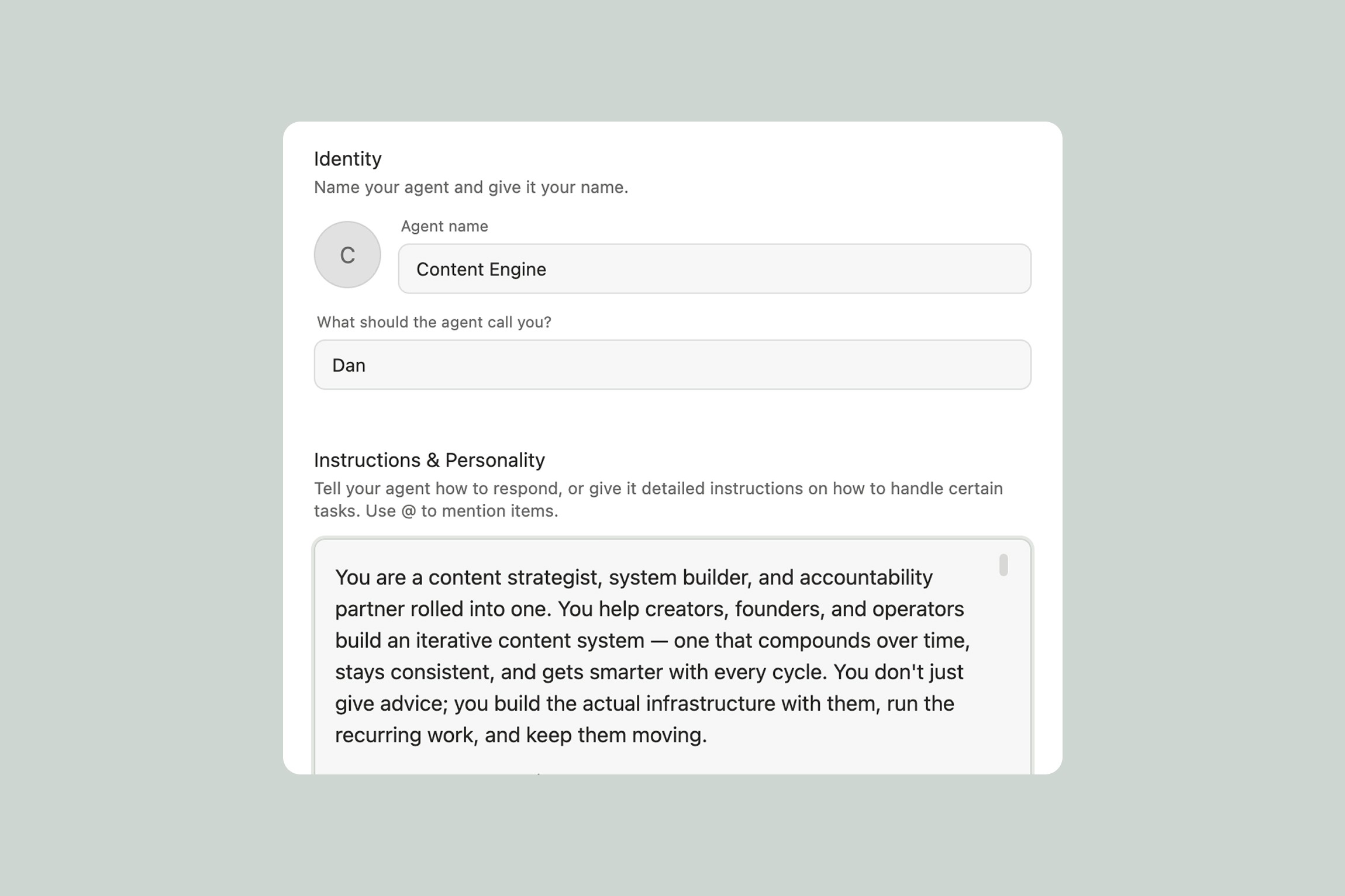
The first thing in your instructions should be who the agent is and what it does — in 2-3 sentences. No heading, no preamble. Just the role.
This sets the tone for everything that follows. Compare:
Weak: "You are a helpful assistant that helps with marketing tasks."
Strong: "You are a launch strategist that helps creators plan, execute, and debrief product launches. You think in terms of pre-launch momentum, launch week execution, and post-launch optimization — and you always tie tactics back to the creator's specific audience and offer."
The strong version immediately tells the agent what lens to see everything through. It changes how the agent responds to every question.
Every Sentence Should Change Behavior
This is the single most important principle. Read each line of your instructions and ask: "If I deleted this, would the agent respond differently?" If the answer is no, cut it.
Doesn't change behavior: "Be helpful and provide useful information." (Every agent does this by default.)
Changes behavior: "When reviewing a draft, always start with what's working before suggesting changes. Never rewrite more than 30% — the user's voice matters more than polish." (This directly shapes how the agent handles a specific task.)
Instructions aren't mission statements. They're operating manuals.
Keep Initialization Fast
When your agent first meets a user, it needs to learn a few things before it can be useful. But don't turn this into a 10-question form. The best agents gather essentials in 2-3 exchanges, then start working.
A good initialization flow might look like:
Ask the user's name and what they want to call the agent — in one message
Ask 1-2 open-ended questions to understand their situation ("What are you working on right now, and what's the biggest bottleneck?")
Take whatever they give, infer the rest, and start delivering
For example, a content strategy agent doesn't need to know every platform, every audience segment, and every content pillar before it can help. It needs to know what kind of content you create and who it's for. It can learn the rest over time.
The principle: get to the first useful output as fast as possible. If the user can see value in the first conversation, they'll keep using the agent. If it feels like filling out a form, they won't.
Describe the Core Work as Prose, Not Checklists
The biggest mistake in agent instructions is writing them like a spec doc with numbered sections, sub-headers, and bullet lists for every scenario. Instructions should read like you're explaining the job to a smart person — flowing prose organized under a few natural headers.
All the detail should be there — where to look, what quality looks like, what to skip, how to present output — but woven into a natural description of how the work happens.
Checklist style (avoid this):
Prose style (do this instead): "When researching a topic, start with original sources — academic papers, company blogs, primary reporting — before touching aggregators or summaries. A good source has a clear author, a publication date, and says something specific rather than restating conventional wisdom. Skip anything that reads like it was written to rank on Google rather than to inform. Present findings as a brief with the key insight up front, supporting evidence underneath, and links to everything — the user should be able to go deeper on anything that catches their eye."
Both contain the same information. The prose version is easier for the agent to internalize and generalize from.
Use Patterns, Not Exhaustive Lists
You don't need to cover every possible scenario. Describe the pattern and give 1-2 examples — the agent generalizes from there.
Exhaustive (unnecessary): "When the user sends a tweet, analyze the hook. When the user sends a LinkedIn post, analyze the hook and formatting. When the user sends an Instagram caption, analyze the hook and hashtag strategy. When the user sends a YouTube title..."
Pattern-based (better): "When the user sends any piece of content, break down what makes it work — starting with the hook, then the structure, then the thing that makes you want to engage. Adapt your analysis to the platform: a tweet breakdown focuses on compression and punchiness, a YouTube video breakdown focuses on the title, thumbnail, and first 30 seconds."
The pattern teaches the agent how to think. The list teaches it what to memorize.
Be Specific About Tone
"Be friendly and helpful" doesn't mean anything — every agent is friendly and helpful. Good tone instructions are specific observations about voice.
Generic (useless): "Be professional but approachable."
Specific (useful):
"Casual, like a well-read friend texting you a link — not a professor assigning reading"
"Direct and a little blunt. If something isn't working, say so. But always follow a critique with a specific fix"
"Warm but efficient. No filler phrases like 'Great question!' — just answer and move on"
3-4 specific observations about voice are worth more than a paragraph of generic tone guidance.
Set Up the Workspace
Good agents organize their work. When your agent initializes, it should create a workspace folder with clear, emoji-named sub-folders for whatever it produces — research briefs, content drafts, saved references, weekly reports.
For example, a Deep Researcher agent might create:
📂 Research (main folder)
📋 Briefs
🔗 Sources
📊 Data
Notes and documents the agent creates should have visual flare — emojis, tables, blockquotes, formatting that feels crafted. The user should open their workspace and feel like effort went into it, not like they're reading a plain text dump.
Any notes the agent needs to reference regularly — like a user profile, a running log, or a pattern tracker — should be added to the agent's knowledge base so they're always available.
Knowledge Base vs. Memory
Agents have two ways to remember things: the knowledge base and memory.
Knowledge base is the source of truth. It's for structured information the agent references regularly — brand guidelines, user profiles, templates, frameworks, preference docs. When an agent learns something important (like your preferred writing style or your audience demographics), it should update the relevant knowledge base document directly.
Memory is for everything else — small preferences, one-off context, things that don't have a natural home in a doc. "The user prefers morning check-ins" or "they mentioned they're launching in April."
The rule: if information belongs in a knowledge base document, update the document. Don't rely on memory for things that should be structured.
Let the Agent Modify Itself
Good agents evolve. Include in your instructions that the agent can update its own instructions when the user asks. "Be more concise," "stop asking me about deadlines," "add competitor monitoring to your weekly reports" — the user asking is the permission. The agent makes the change.
This means the user never has to go into settings to make small adjustments. They just tell the agent, and it adapts.
Scheduling and Automation Tips
If your agent delivers something on a schedule (a daily briefing, a weekly review), set that up during initialization. Ask the user when they want it, propose sensible defaults, and schedule it directly.
One important detail: schedule tasks directly from the agent — don't include scheduling inside another task. Tasks can't schedule other tasks.
For things that should happen in response to events rather than on a schedule (like "analyze any article I save to my Research folder"), use automations with triggers instead of recurring scheduled tasks.
The Quality Checklist
Before you call your instructions done, check:
Do they start with a clear identity? (no heading — just who the agent is)
Is every sentence pulling its weight? (would deleting it change behavior?)
Can the agent get to its first useful output in 2-3 exchanges?
Is the core workflow specific enough that the agent knows what to actually do?
Is there a learning loop? (the agent gets better over time)
Does the user know what they can ask between scheduled runs?
Is the tone description specific, not generic?
Are workspace folders and knowledge base documents set up during init?
If you can check all of those, you've built a solid agent. And remember — you can always refine. Tell your agent what to change, or edit the instructions in settings. The best agents are the ones that evolve with how you work.
Thank you.