
Welcome to the December 22nd changelog!
Below you'll find additions, improvements, and fixes.
We hope everyone enjoys their holiday season!
Help Center
We launched our new Help Center at eden.so/help so you can learn or get support. This will be updated as we receive questions and release new features.
You can chat with our AI agent, Ed, in the bottom right corner, get answers about Eden features, or submit bugs directly. There are 30+ articles on how to get started, how to use each feature, and tips to get the most out of Eden.
One of our favorites is the Canvas uses cases article, for those who need some inspiration for what to use the canvas feature for. You can read that here.
Save AI Responses as Notes
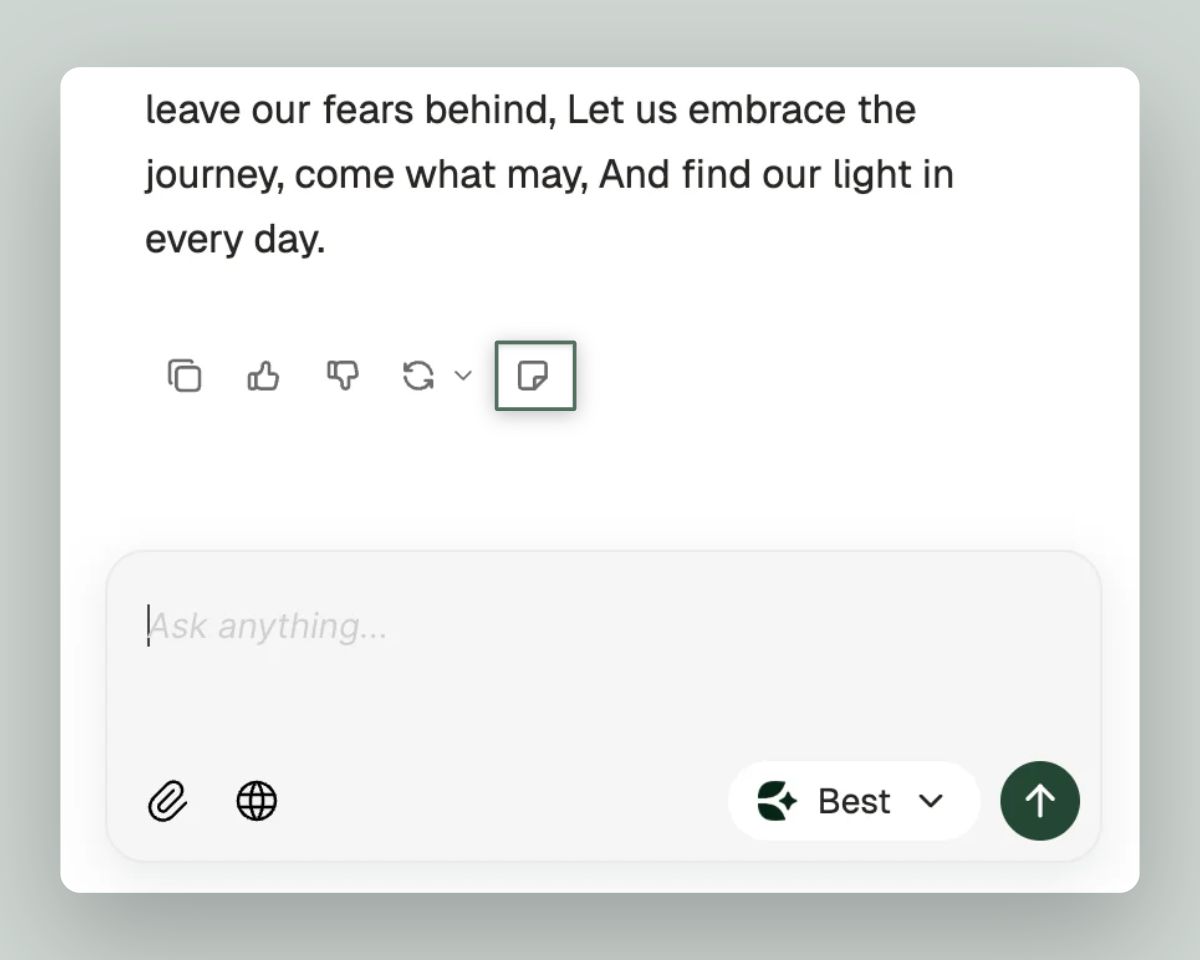
Hit the new "Create Note" icon in any chat response to choose where to save it, allowing you to save the most important AI responses and organize them in your workspace for later.
Fuzzy Search
You can now find what you're looking for even with typos or partial matches.
Search "episode 10" and find folders titled "ep 10"
Search "ep 13" and discover items named "episode 13"
Fuzzy matches are highlighted so you can see exactly what matched
Folder results now show their parent folder for easier navigation
These improvements also work in Save To and Move To menus
Drag and Drop Everywhere
Moving items around your workspace now works from the sidebar and list view:
Drag and drop items into folders from any view (like grid view or list view)
Move items between multiple open panes
Drag between the sidebar and your panes
Custom drag previews show exactly what you're moving
New AI Models
Two powerful new models are now available:
Gemini 3 Flash — Google's latest fast model
GPT-5.2 — OpenAI's newest release
Switch models anytime from the model selector in any chat.
Improvements
Search: Improved relevance sorting prioritizes title matches, exact words, and visual matches
Command Menu: Recents section now actually updates, search works reliably, and you can press Tab to navigate directly into folders
List Views: Smooth scrolling with optimized virtualization — no more lag
Canvas: Significant performance improvements when working with many elements
Video Player: Videos now play reliably — no more freezing or infinite spinners
Video Thumbnails: High-res images now load faster with optimized lower-resolution thumbnails
Chat Streaming: Replaced markdown renderer for smoother AI responses
PDFs: Lightweight text extraction for unprocessed PDFs to access content sooner in an AI chat
Canvas Notes: Creating a new note now auto-focuses the cursor so you can start typing immediately
Duplicate Folders: You can now duplicate entire folders — great for templates and recurring projects
Processing Modal: Click any item in the processing modal to navigate directly to it
Multi-select: Selecting items in the sidebar no longer navigates away from your current view
Fixes
AI Chat: Responses no longer pause when you switch to another screen
Note Contents: Fixed an issue where opening certain notes would wipe their contents
Tags: Tags now appear in search immediately after creation, inline tags link properly, and deleted tags no longer appear in dropdowns
Canvas Chats: Chats connected to notes in canvas can now read and reference those notes correctly
Video Playback: Fixed videos that were stuck on infinite loading spinners
Video Keyframes: Keyframe thumbnails now match the actual video frame at each timestamp
Copy/Paste: Copying text from chat no longer pastes as code
Text Selection: You can now select specific lines in chat without auto-selecting everything above
Upload Processing: Fixed "ghost" items getting stuck in the processing queue
Drag Animation: Fixed flyback animation glitches when multi-selecting items
App Crashes: Fixed a crash that occurred when drag-and-dropping nested folders onto themselves
Task Modal: The processing modal no longer pops up randomly
Copy/Paste Tags: You can now copy and paste tags and connections properly
Profile Picture: Your avatar now displays correctly in Settings
Downloads: Fixed download errors that were preventing note exports
Landing Page: Fixed the typing animation causing page jumps on mobile Safari