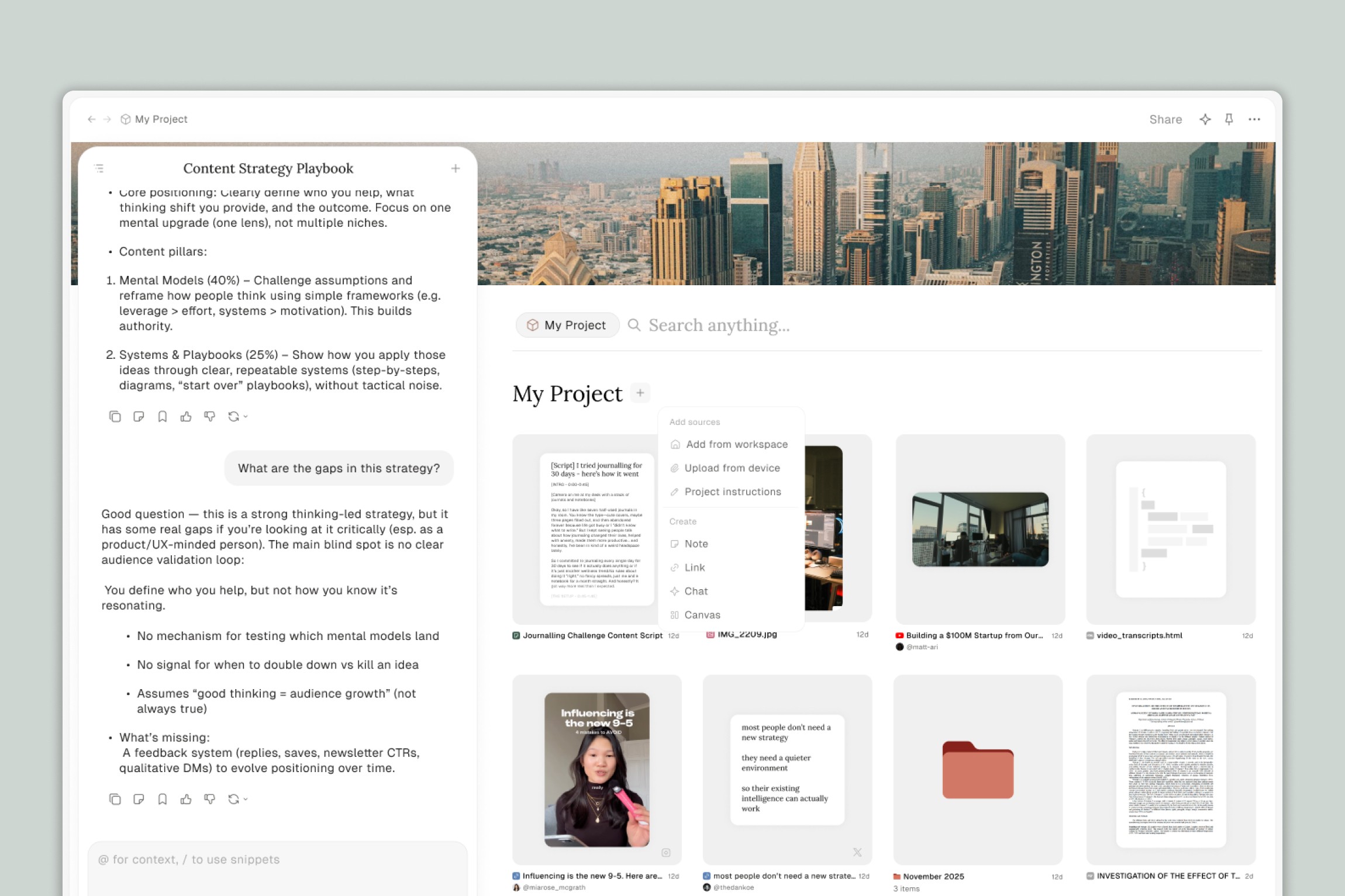
Projects give you a dedicated workspace where you can bring together all the files, research, and conversations around something you're working on — and chat with all of it at once.
Whether you're writing a newsletter, building a video script, creating documentation for your business, or pulling together research from a dozen different sources, Projects let you stop juggling and start working.
What is a Project?
A Project is a space inside Eden where you can:
Add files — PDFs, documents, links, YouTube videos, old content, templates, and more
Chat with everything — Ask questions, generate ideas, or create content using all your project files as context, without needing to reference each file individually
Have multiple conversations — Keep separate chats organized by topic within the same project (one for outlining, one for drafting, one for research, etc.)
Edit files directly — Open and edit documents right inside the project while you chat, so you stay in control of your work
Think of it this way: your workspace is where you store files. A Project is where you do the work.
What Makes Eden Projects Different?
If you've used AI project features in other tools, Eden's Projects stand out in a few key ways.
Full workspace access
Your Project isn't an isolated bubble. You have access to your entire Eden workspace — your drive, your saved files, your folders. The AI can search across your workspace to pull in relevant files, find information, or organize things on your behalf.
Edit files while you chat
Most AI tools take full control when generating content. In Eden, you can open files directly inside the project and edit them yourself while chatting with the AI. You're collaborating with the AI, not handing over the reins.
Built-in agentic AI
Eden AI isn't just a chatbot — it's an agent. It can do anything you can do inside your workspace: create files, organize folders, search the web, move things around, pull in new resources, and more. The more specific your instructions, the more powerful it becomes. (More on this in the "Eden AI" section below.)
When Should You Use a Project?
A good rule of thumb: if you're working on something that involves multiple files, multiple conversations, or both, it belongs in a Project.
Here are some signals that a Project would help:
You keep re-uploading the same files to new chats
You're working on something over multiple sessions
You have research, drafts, templates, or references you want the AI to know about
You want to keep related conversations organized in one place
You want the AI to understand the full picture of what you're working on, not just one file at a time
How Eden AI Works Inside Projects
The chat feature in Eden is called Eden AI, and it has agentic functionality. That means it doesn't just answer questions — it can take action inside your workspace.
Eden AI can:
Create files and documents — Ask it to draft a blog post, an SOP, a script, or anything else, and it creates a real file in your workspace
Search for information — It can search the web or search across your workspace files to find what you need
Organize your workspace — Ask it to create folders, move files, or set up an organizational system
Pull in resources — It can find and save links, download YouTube videos, and add them to your project
A few things to keep in mind:
Prompting matters. The more specific you are about what you want, the better the results. Vague instructions lead to vague output. Clear, detailed prompts lead to great output.
Your creativity determines the power. Eden AI's capabilities are broad — what makes it useful is how you choose to use it.
Some complex tasks are still evolving. If you run into bugs with advanced workflows, please let us know! Your feedback helps us improve.
Quick Examples
To give you a sense of what's possible:
Add past blog posts, brand guidelines, and writing templates to a project. Chat with them to outline and draft new content that matches your voice.
Save YouTube videos, article summaries, and research notes to a project. Chat with all of it while you write a script or article.
Upload business information, then ask Eden AI to create SOPs, employee handbooks, email sequences, or other documentation.
Add brand guidelines and support docs, then ask the AI to update them or create new ones based on them.
Ask Eden AI to find 10 podcast episodes featuring a specific guest, save them to a folder, and let them download and transcribe automatically.
Tell Eden AI about your role and workflow, then ask it to create a folder structure (like the PARA method) to organize your workspace. As you create or upload new files, ask it to organize them accordingly.
For a deeper dive into specific use cases, see the Projects Use Cases & Ideas article.
For a step-by-step guide on setting up your first project, see Getting Started with Projects.
Thank you.
