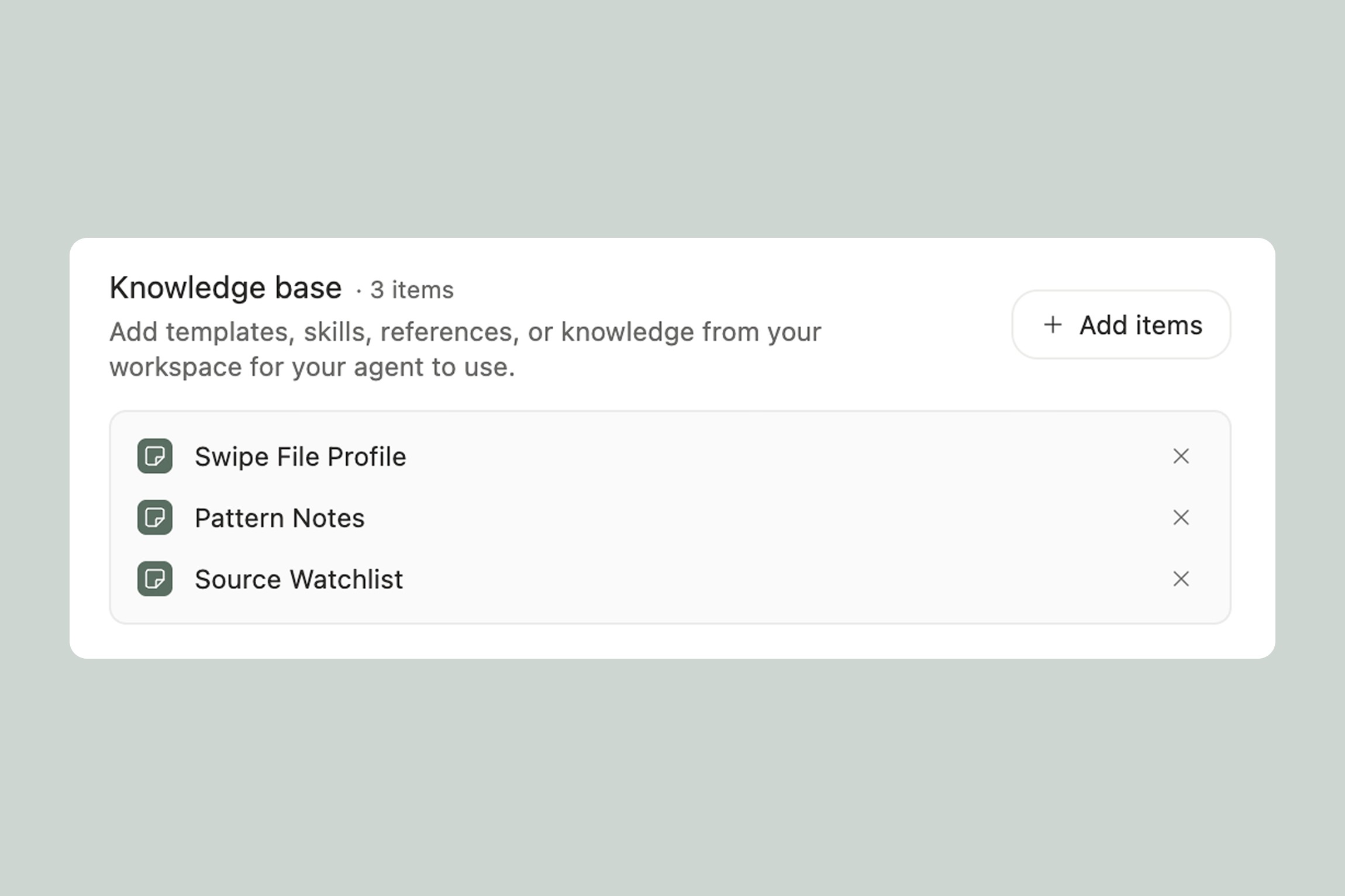
Every agent has a knowledge base — a private reference library that only that agent can access. It's where you put the information your agent needs to do its job well: brand guidelines, templates, frameworks, audience profiles, past work, preferences, or anything else it should always have on hand.
The knowledge base is what turns a generic AI into one that actually knows your business.
Knowledge Base vs. Workspace — What's the Difference?
Your workspace is your drive. It's where all your files, notes, links, and media live. It's shared across Eden — any chat, project, or agent can reference workspace files when you point them there.
An agent's knowledge base is different. It's private to that agent and always loaded as context. The agent doesn't need to search for knowledge base docs — they're just there, every time it responds.
Think of it this way: your workspace is the filing cabinet in the office. The knowledge base is the folder on the agent's desk that it checks before answering any question.
Here's when to use each:
Put it in the knowledge base when it's something the agent should reference constantly — your brand voice doc, a content strategy framework, a list of your products and pricing, your audience personas. If the agent needs it for almost every interaction, it belongs in the knowledge base.
Keep it in the workspace when it's something the agent might need occasionally — a specific blog post for reference, a video transcript, raw research. The agent can pull these from your workspace when relevant, but they don't need to be loaded into every conversation.
For example, your Marketing Director agent might have your brand guidelines, competitor overview, and quarterly goals in its knowledge base. But when you ask it to analyze a specific campaign, it pulls that campaign's assets from your workspace.
What Should Go in the Knowledge Base?
It depends on the agent, but here are the most common types:
Templates — Formats your agent should follow when creating things. Your Email & Funnel Architect might have templates for welcome sequences, launch emails, and cart abandonment flows. Your Deep Researcher might have a research brief template that structures every deliverable the same way.
Brand and voice documents — Anything that defines how you or your business communicates. Tone of voice guidelines, brand values, writing style preferences, words you use (and words you avoid). Your Personal Brand Coach needs this to give feedback that's grounded in your actual voice, not generic advice.
Profiles and preferences — Information about you, your audience, or your business. Many agents create a profile doc during setup — your Creative Identity Coach builds a Creative Profile, your Marketing Director builds a brand and competitive landscape overview. These are living documents that the agent updates as it learns more.
Frameworks and strategies — How you think about your work. A content pillar framework, a launch playbook, a research methodology, a decision-making model. Your Strategic Advisor might have your annual goals and quarterly priorities so it always ties recommendations back to what you're actually trying to achieve.
Reference material — Things the agent should know but that don't change often. A list of your products, your pricing, your team structure, key dates, industry terminology. Your Executive Assistant might have a project tracker and a list of active workstreams.
How the Agent Uses the Knowledge Base
The agent reads its knowledge base before every response. You don't need to reference specific documents or remind it what's in there — it already knows.
This means if you update your brand guidelines in the knowledge base, the very next message from your agent reflects those changes. You don't need to re-explain anything.
When templates create knowledge base documents during setup, they're designed to be updated over time. Your Personal Brand Coach's profile of your content style isn't a one-time snapshot — the agent refines it as it sees more of your work. Your Swipe File Manager's pattern notes evolve as you save more content.
The key rule: knowledge base documents are the source of truth, not memory. When your agent learns something important — like your preferred email structure or your audience's biggest objection — it should update the relevant knowledge base doc directly, not just remember it. This keeps everything structured and reliable.
Adding to the Knowledge Base
You can add to an agent's knowledge base in a few ways:
During setup — Templates automatically create starter documents. Your Reading List Concierge creates an interests profile. Your Marketing Director creates a brand overview and competitive landscape doc. You fill in the details through conversation, and the agent handles the rest.
From your workspace — Have a brand guide PDF, a content strategy doc, or a spreadsheet of your products? Add it to the agent's knowledge base from your workspace. The agent can reference it in every conversation going forward.
Through conversation — Tell your agent something it should remember permanently: "My audience is primarily freelance designers aged 25-40" or "We never discount below 20%." If it belongs in an existing knowledge base doc, the agent updates that doc. If it doesn't have a natural home, the agent stores it in memory.
Manually — Go to the agent's settings and add or edit knowledge base documents directly. This is useful if you want to paste in a document, reorganize what's there, or make bulk changes.
Tips for a Great Knowledge Base
Start small and let it grow. You don't need to front-load everything. Templates give you a solid starter kit — use the agent for a week and you'll quickly see what's missing. Add docs as gaps come up.
One doc per topic. Don't cram everything into a single massive document. Your Marketing Director should have separate docs for brand guidelines, competitor overview, and campaign history — not one giant "everything about marketing" file. This makes it easier for the agent to find what it needs and for you to update specific things.
Let the agent maintain its own docs. The best knowledge bases are living systems, not static files. When your Personal Brand Coach notices your writing style has evolved, it should update your voice profile. When your Swipe File Manager spots a new pattern in what you're saving, it should update the pattern notes. You set up the structure — the agent keeps it current.
Review occasionally. Every few weeks, glance at what's in your agent's knowledge base. Is anything outdated? Is the agent tracking something that's no longer relevant? A quick cleanup keeps the agent sharp.
Thank you.