Add an order bump
Put a checkbox next to Pay that adds one of your other products to the same payment.
Open a paid product's Offer step and turn on Offer an order bump. Buyers see a checkbox above Pay that adds one of your other products to the same payment.
Set one up
- 01
Open the Offer step
In your store, go to Products, open a paid product, and find Order bump.
- 02
Pick what the checkbox adds
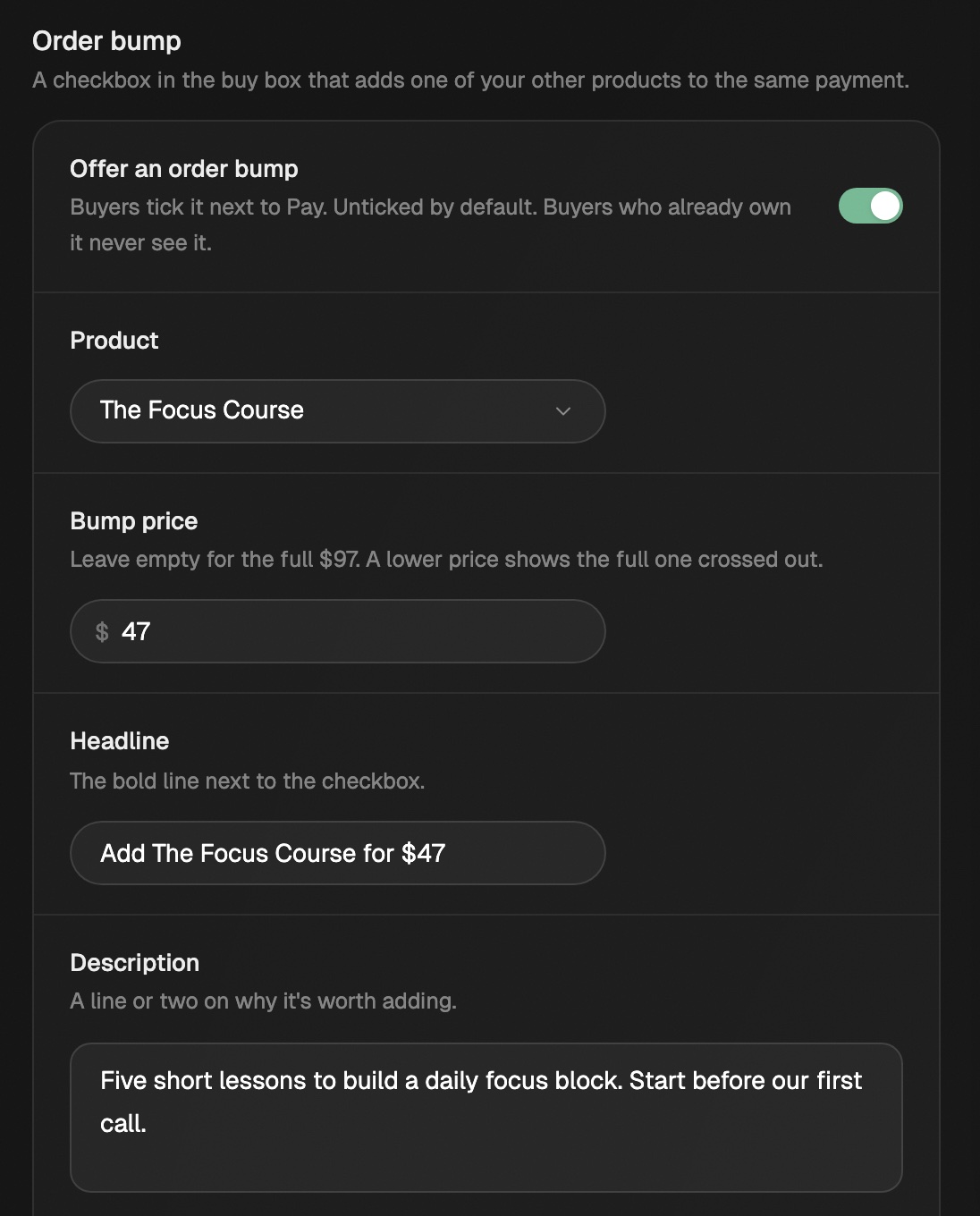
Turn on Offer an order bump and pick a Product: another of your one-time products, or a bundle. A free product works too. Set a Bump price and buyers pay that when they tick it.
No other product yet? The section shows a New product button instead of the switch. Save your changes first, make the second product, then come back.
Order bump sits on the Offer step, under Eden offer. - 03
Write the card
Fill in the fields below. The preview switches to Checkout so you can tick it yourself. Click Save draft, or Save changes on a live product.
| Field | What it does |
|---|---|
| Bump price | Empty means full price. A lower price shows the full one crossed out. It can't go higher. A free product needs one. |
| Headline | The bold line next to the checkbox. Empty reads "Yes, add (product) to my order". |
| Description | A line or two on why it's worth adding. |
| Image | Optional. A small square next to the description, up to 5 MB. |
A bundle's price is set for you: the bundle price, minus this product's price if the bundle includes it. It never goes below $1.
A product that isn't live yet can be picked. The checkbox shows once it goes live.
What buyers see
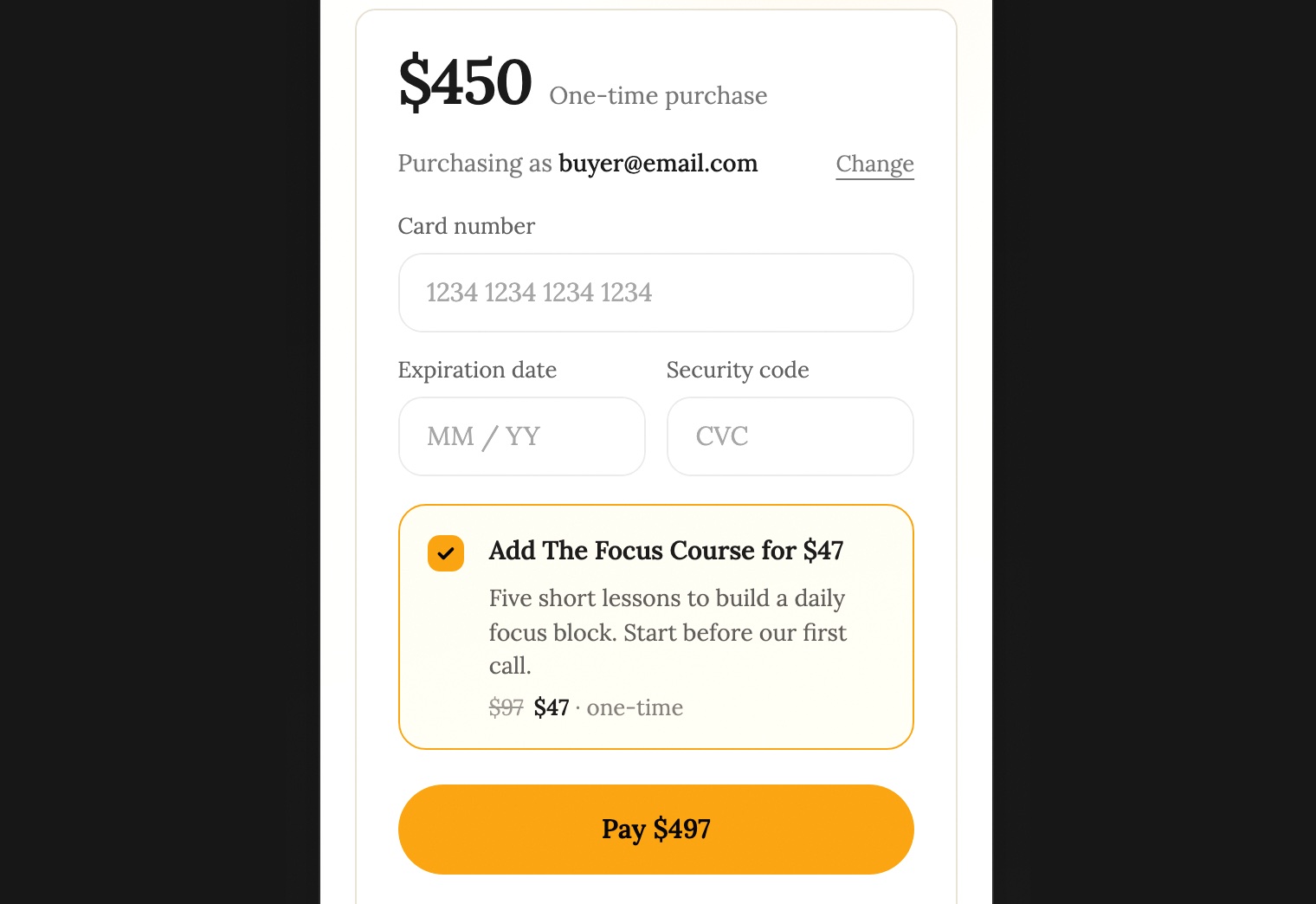
- The bump card sits just above Pay. It's never ticked for them.
- Ticking it adds the price to the button. A $49 product with a $19 bump reads Pay $68.
- Both products are charged in one payment and arrive together, with one email.
- Buyers who already own the bumped product don't see the checkbox.
Refunds and your numbers
Each product is its own sale in Customers. The bump is marked added as an order bump. Refund either one on its own. Eden returns its fee on the refunded part (5%, or 2% on Max and Agency).
Your product card under Products shows how many orders added the bump and what it earned.
What can't have a bump
- Memberships. The section says "Memberships can't carry an order bump yet."
- Free products. A bump needs a paid checkout. (A free product can still be the bump on a paid one.)
- Products on your own checkout. Bumps need Eden checkout.
Offer an upsell after checkout
Show up to 3 of your other products right after payment, each added with one click and no second card form.
Sell a bundle
Sell several of your products together at one price, with their own page.
Start selling on Eden
Set up your store, pick what to sell, get paid through Stripe, and run it all from Your store.
Get answers from the team and other creators.
Ask in the Eden help channel, see how others use the app, and come to the live workshops. Free with any Eden account.
Join the Eden CommunityEmail us. A real person reads every message.
Tell us what you tried and where you got stuck. We answer within one business day.
[email protected]