How EdenAI credits work
One unified credit bucket covers every AI action in Eden. This article explains the one-time Free grant, paid monthly allowances, per-action costs, resets, and what happens at zero.
Eden has one credit meter. Boosts, Discover searches, and chat messages all draw from the same bucket. Free starts with 50 one-time credits that do not expire; AI-enabled paid plans receive a monthly allowance that resets on the billing anniversary. Searching for creators by handle or topic does not use credits, and purchased top-up credits never expire.
This article covers what counts as a credit, what each tier gets per month, when the reset happens, how top-ups work, and what to expect when you run out.
One bucket, many AI actions
Every AI-driven action in Eden draws from the same workspace-scoped EdenAI credit bucket:
- Boosts (post boosts on Discover and board items, document boosts inside a markdown doc, and running one of Eden's built-in starter prompts).
- Post searches (keyword searches in Discover or inside a creator-list feed).
- Chat messages (every reply you send in an AI chat thread, whether it's an empty preset, a board chat, a follow-up inside a boost thread, or a run of one of your own custom prompts).
- Generation tools (text posts, text-first carousels, and single images).
- Extra research work (chat tools that analyze creators, search indexed posts, search the web, fetch transcripts, read carousel slides, or run paid MCP capability tools).
- Publishing and briefs (scheduled posts after they publish, plus paid additional named-brief generations).
Searching for a creator by handle, profile URL, name, or topic from the Creators tab is free and does not touch this bucket. Browsing creators and suggested creators is free too. Searching the posts inside Discover or a creator-list feed is still a metered post search. An explicit sync that pulls fresh profile or post data from a creator network is a separate Creator fetch operation and can cost 0.5 credits.
Before credits-v2, metered post search, boosts, and chat lived on separate meters. They are now one bucket so you do not have to plan around "I have 12 boosts but 200 chat messages left and 5 searches a day." Spend your credits where they help.
What each action costs
| Action | Cost |
|---|---|
| Boost (post or doc) | 1 credit |
| Run a built-in starter prompt | 1 credit |
| Discover / creator-list post search | 1 credit |
| Creator lookup by handle, URL, name, or topic | Free |
| EdenAI Lite reply | 1 credit |
| EdenAI Max reply | 2 credits |
| Large chat context | +1 to +10 credits, based on input size |
| Analyze creator from chat | 2 credits |
| Search indexed social posts from chat | 2 credits |
| Search the web from chat | 1 credit |
| Text post / typography carousel slide | 2 credits each |
| AI image option | 3 credits each |
| Published scheduled post | 1 credit |
| Additional paid named-brief generation | 25 credits |
| Transcript fetch or carousel-slide OCR | 3 credits |
| New creator sync, content ingest, or thread context fetch | 0.5 credits |
| Paid MCP capability tool call | 1 credit |
Image generation costs a little more than text-first rendering because every AI image calls a top-tier generation model. The two tiers are: text-first renders (a text post, or a typography carousel: clean type on a solid background, no AI artwork) at 2 credits per image, and AI images at 3 credits per image. So a 7-slide typography carousel is ~14 credits, and 3 AI image options is 9 credits. If a render fails, you're refunded.
Running one of Eden's built-in starter prompts is metered exactly like a boost: a flat 1 credit when you run it, regardless of whether you're on Lite or Max. Running a prompt you built yourself isn't a boost — it's charged as the normal chat message it is (Lite 1 / Max 2), the same as any other reply.
EdenAI Max costs 2x a Lite message because Max runs on a stronger reasoning model. The mode toggle is the Lite / Max switch on the chat composer. If you do not see Max in your composer, your tier does not expose it.
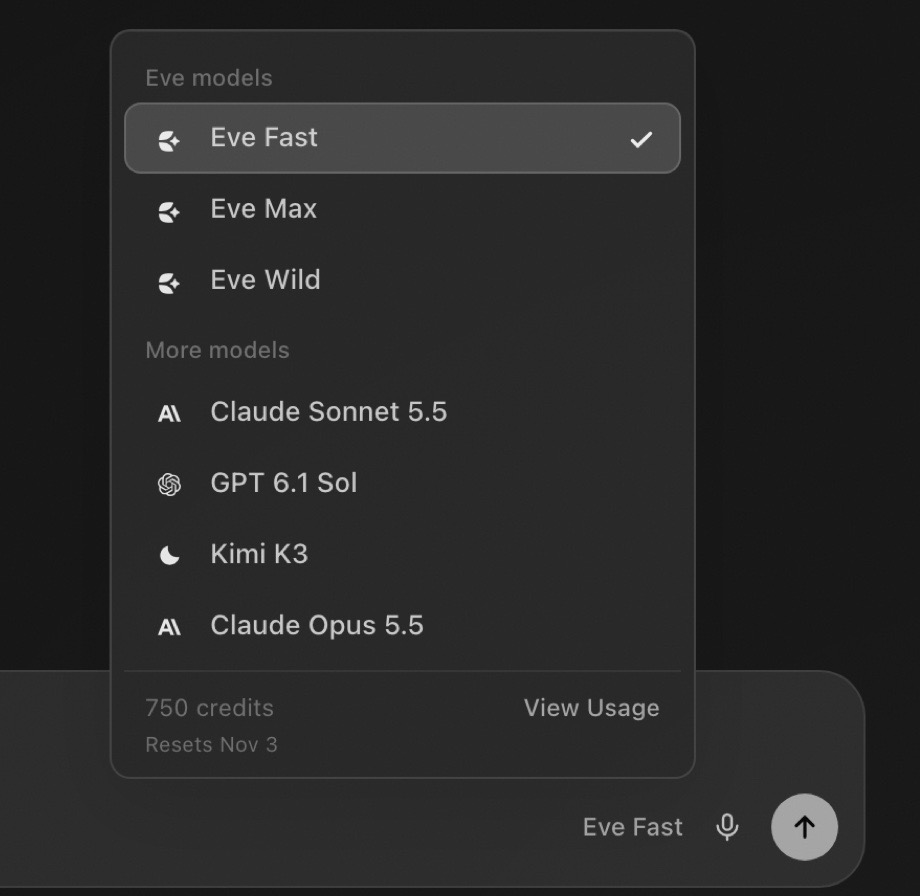
On Free, chat defaults to Eve Lite. You can still switch to Eve Max, which spends your one-time welcome credits at 2 credits per message.
How much each plan includes
| Tier | Monthly EdenAI credits |
|---|---|
| Free | 50 credits, one-time |
| Personal ($9 / mo) | No AI credit allowance |
| Personal Plus ($15 / mo) | 150 / month |
| Starter ($29 / mo) | 200 / month |
| Pro ($79 / mo) | 750 / month |
| Studio ($199 / mo) | 2,000 / month (pooled) |
Studio's bucket is pooled across the whole team, not per-seat. A 3-person Studio workspace shares the 2,000-credit budget; one teammate using Max-mode chat all day will pull from the same pool everyone else's boosts come out of. The Usage panel inside billing settings shows total used across the workspace so you can see who's burning credits if the bar moves faster than expected.
Personal has no monthly credit allowance. It is the storage and library plan. Personal Plus is the entry point for a recurring monthly allowance, at 150 credits a month.
The 50-credit Free bucket is a one-time welcome grant. It has no deadline and does not refresh monthly. When you subscribe, the grant is replaced with the paid tier's monthly allowance, anchored on the day you subscribed.
When paid credits reset
Your credit bucket resets once a month on your billing anniversary, even if you're on an annual plan.
Example: you subscribed to Pro on the 14th of last month. Pro gives 750 credits. On the 14th of every month going forward, your bucket goes back to 750 and any unused leftover from the previous month is discarded.
A few things that follow from this:
- Annual subscribers get a fresh allowance every month, not 12,000 credits dropped on you in January. Annual is a price commitment, not a credit allowance. You still reset on your monthly anniversary.
- The reset is lazy. The new allowance lands the first time anyone in the workspace touches credits (peek the billing page, send a chat, run a search, fire a boost) after midnight on your anniversary. No background cron to wait on.
- Tier changes apply on the next reset's allowance. Upgrading from Pro to Studio in the middle of a billing cycle gives you the Studio allowance starting on the next anniversary; your current cycle keeps the Pro 750 plus whatever top-ups you bought.
Top-up packs
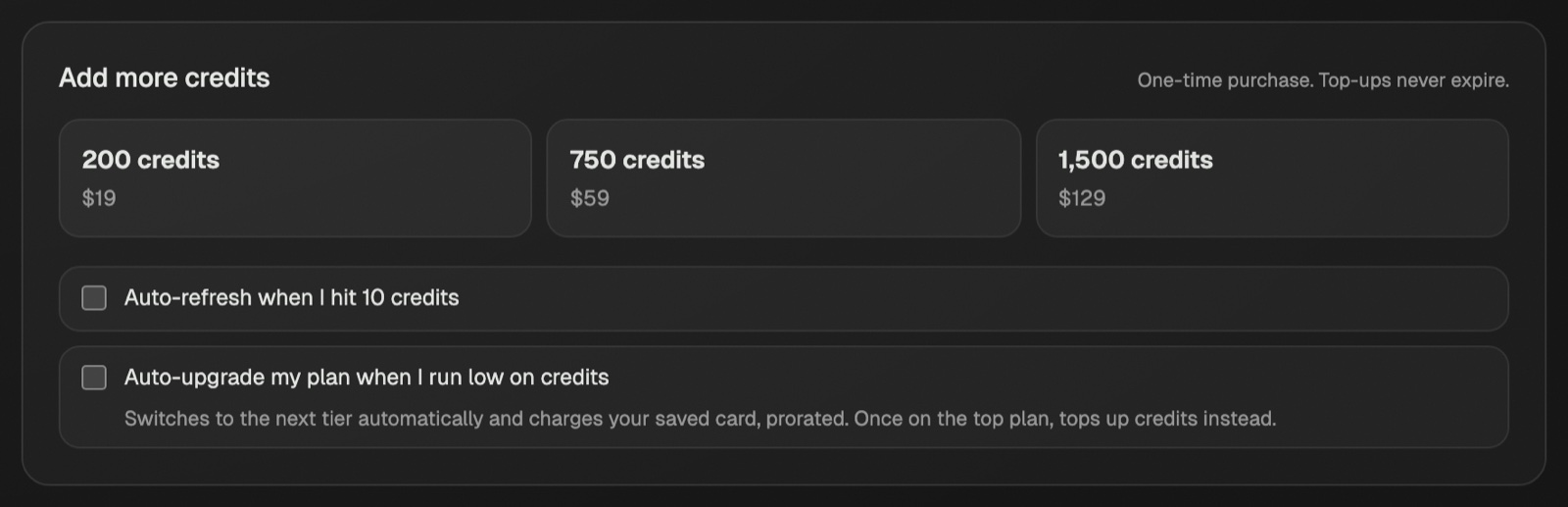
If you need more credits before your next anniversary, you can buy a one-time top-up pack from the Usage section of your billing settings (or from the credits-exhausted popup when you hit zero):
| Pack | Credits | Price |
|---|---|---|
| Small | 200 | $19 |
| Medium | 750 | $59 |
| Large | 1,500 | $129 |
A few specifics worth knowing:
- Top-up credits never expire. Unlike the monthly bucket, top-up credits carry across months and stack with future months' allowances. They sit in a separate ledger from your period bucket.
- Top-ups are consumed AFTER your monthly allowance. Eden always spends down the monthly bucket first, then dips into top-ups. That way the credits you actually paid extra for don't get used up by routine activity if your monthly allowance would have covered it.
- Top-ups stack. Buying two Small packs gives you 400 top-up credits, not a discount or replacement. They consume FIFO (oldest top-up first) so the receipts you can match to specific purchases stay clean.
- The person who clicks "Buy credits" sees their own email on the Stripe checkout, not the workspace owner's. Any workspace member can buy a top-up for the team.
You can buy top-ups proactively, before you've hit zero. They sit in your ledger and start consuming as soon as your next message would have crossed into your monthly bucket exhaustion.
What happens when you hit zero
When your combined balance (monthly remaining + top-up remaining) reaches zero, Eden shows the credits-exhausted popup the moment you try to fire the next boost, send the next chat message, or run the next metered post search. The action doesn't run; the popup appears first. Creator lookup continues to work because it does not use credits.
The popup has two paths:
- Top-up packs (200 / 750 / 1,500 credits at $19 / $59 / $129). Click one and you go straight to a Stripe checkout. The payment confirms the top-up via webhook, credits land in your ledger usually within a few seconds, and you can re-fire the original action.
- Upgrade your plan. If you're consistently running out, the math usually favors moving up a tier (Pro at 750/mo costs less per credit than Small top-ups, and Studio at 2,000/mo costs less per credit than Pro on the marginal credit).
Free workspaces behave slightly differently: the popup does not offer top-up tiles. The 50 credits are a one-time welcome grant, so the conversion path is "pick a paid plan," not "buy more demo credits." Free users see a "Choose a plan" CTA that opens the standard upgrade flow.
Failures and refunds
A few common edge cases:
- Stream aborted mid-reply. Hit stop on a chat reply that's still streaming and no credit is deducted (the server only commits the consume when the response succeeds end-to-end).
- Server error or model failure. Same as above. The credit only commits when the action returns a usable result.
- Duplicate clicks. Each action carries an idempotency key, so double-clicking "Boost" doesn't double-charge.
If you see a credit deducted for something that obviously didn't return a usable response (a chat reply that errored, a boost variation card that came back empty, or a metered Discover search that failed because the network was down), email [email protected] with the workspace name and a rough timestamp. We can refund the credits.
Where to go next
- For the tier-by-tier breakdown of every paid feature, read plans and pricing.
- For exactly what each post-boost and doc-boost does, read using boosts.
- For the empty-chat presets that pair well with boards and creators, read chatting with a board.
Plans, seats, and what each tier includes
Eden has a permanent Free tier and five paid tiers. Here is what each includes, including the 50 AI credits that come with Free.
Using Boosts to remix posts and tighten drafts
Boosts are one-click AI actions you fire on a saved post or a markdown doc. Post boosts open a chat that remixes the source. Doc boosts apply inline edits.
Chatting with a board to write your next post
Eden's chat reads whatever you scope it to (a full board or specific items via @ mention) and uses them as source material. Here is how to set it up, the six built-in presets, and what works well.
Email us. A real person reads every message.
Tell us what you tried and where you got stuck. We answer within one business day.
[email protected]