Save to Eden from your iPhone
Send links, text, photos, videos, PDFs, and EPUBs into Eden from any app with the share sheet.
In any app, tap Share, then Eden. Pick your Library or a board and save. You never leave the app you're in.
Share something into Eden
- 01
Tap Share, then Eden
If you don't see Eden in the row of apps, tap More to find it.
- 02
Pick where it goes
Choose Library or a board. You can search your boards or make a new one. You can also switch workspaces here.
- 03
Save
It's waiting in Eden next time you open the app.
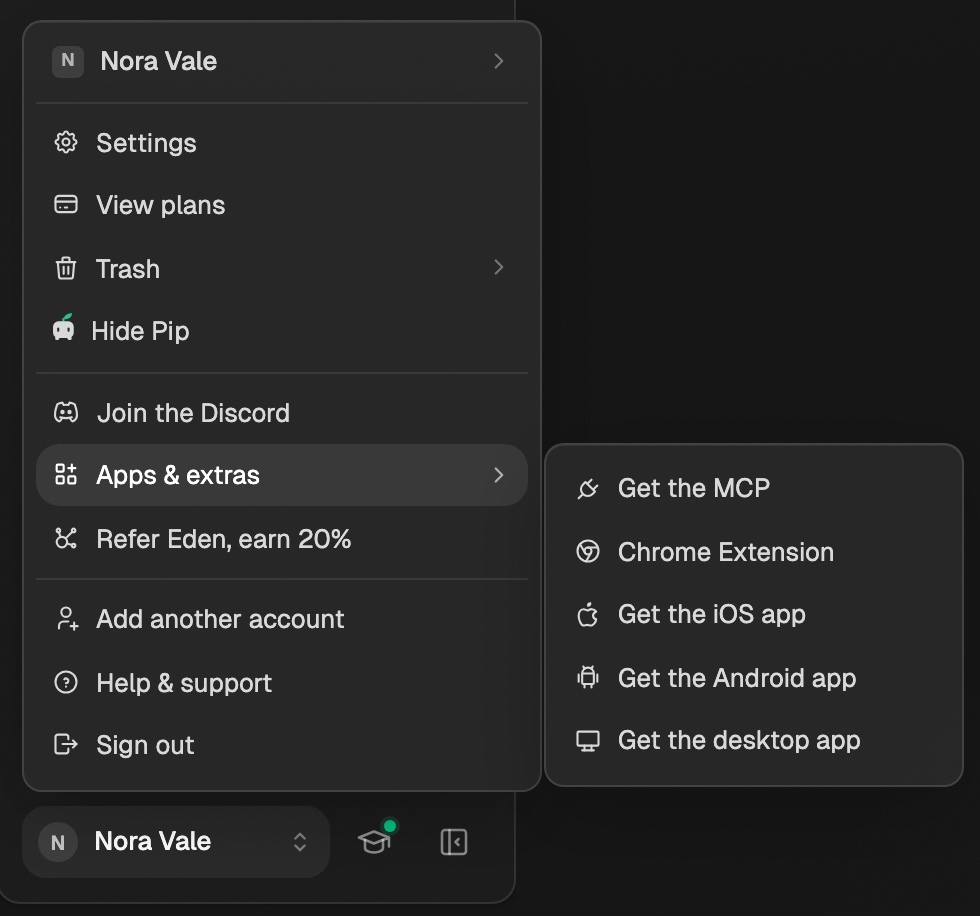
Sign in to the Eden app once on your iPhone first. Sharing needs it. Don't have the app yet? In Eden on the web, click your name at the bottom left, then Apps & extras → Get the iOS app. It's in beta on TestFlight.
What you can share
| Share this | What you get |
|---|---|
| A link | A link card with a preview. You can add a note on why. |
| A creator's profile | The creator, added to one of your lists |
| Text | A quick note |
| A photo or video | An image or video card |
| A PDF | A document you can read and highlight |
| An EPUB | A book in your Library, ready to open in the reader |
- Share one thing at a time.
- You can add tags before you save.
Add a creator to a list
In Instagram, X, TikTok, YouTube, or Threads, open a creator's profile, tap Share profile (or Share), then Eden. Eden shows your creator lists instead of your boards.
- Your last list is picked for you. Tap another to change it.
- Tap New list to make one.
- Tap Save to add them.
- Want a link card instead? Tap Save as a link instead.
Read it later, or now
For a link that isn't a social media post, you get three extra choices above your boards:
- Library saves it without putting it on a board.
- Reading list saves it and adds it to your reading queue.
- Read now does the same, then opens it in the reader the next time you switch to Eden.
Add files from inside the app
- On the capture screen, tap Select a file. Pick a PDF, EPUB, image, video, audio, or text file.
- On a board or in your Library, tap +, then Add a file or Add a photo.
Quick capture
Save a thought, link, or file in a few keystrokes from anywhere in Eden.
Reading EPUBs in Eden
Save an ebook as an EPUB and read and highlight it in Eden on web, iPhone, and Android.
Reading PDFs in Eden
Read a saved PDF as clean, flowing text on any plan, or use Enhance Readability on Personal Plus.
Get answers from the team and other creators.
Ask in the Eden help channel, see how others use the app, and come to the live workshops. Free with any Eden account.
Join the Eden CommunityEmail us. A real person reads every message.
Tell us what you tried and where you got stuck. We answer within one business day.
[email protected]