Sell from a country that isn't listed
Stripe only supports sellers in certain countries. If yours isn't in the payout country list, sell through your own checkout, like PayPal or Paystack, or set up a business Stripe supports.
Stripe only opens seller accounts in certain countries, and Eden can't add more. The easiest fix is to sell through a checkout that works where you live, like PayPal, Paystack, or Gumroad.
Option 1: Use your own checkout
You don't need Stripe to sell on Eden.
- 01
Make a payment link
Create it in a checkout that works in your country, like PayPal, Paystack, Flutterwave, Gumroad, Lemon Squeezy, Razorpay, or Mercado Pago.
- 02
Add it to your product
On the product's Offer step, pick My own checkout link under Take payment with and paste it.
- 03
Connect sales
Lemon Squeezy, Gumroad, Whop, and SamCart connect to Eden directly. Other checkouts use the Eden app on Zapier. Either way, buyers get access as soon as they pay.
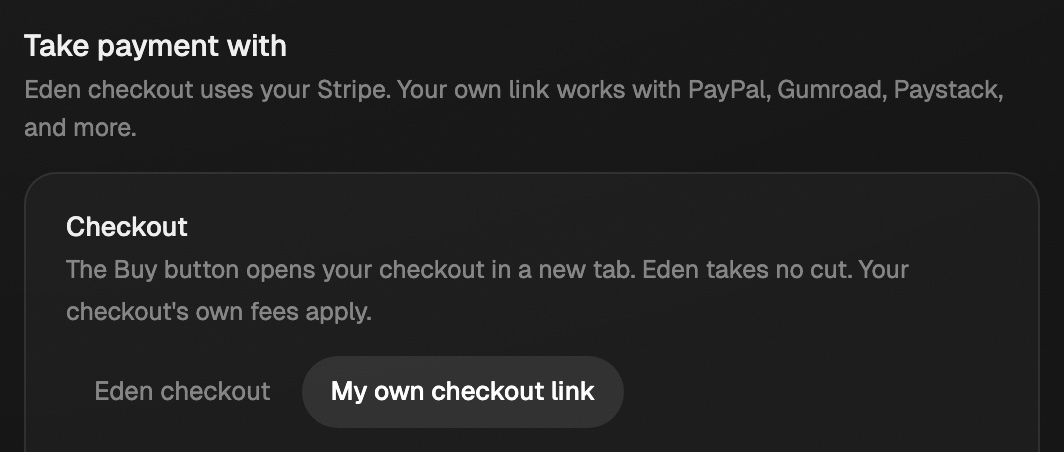
- Eden takes no cut. Your checkout's own fees apply.
- It works for one-time products and memberships with one price.
- Order bumps, upsells, bundles, discount codes, included AI credits, cohorts, and coaching memberships need Eden checkout.
- Selling coaching at a one-time price? Use your own link, or pick I bill them myself and get paid by Payoneer, bank transfer, or invoice. See Bill clients yourself.
Full steps: Use your own checkout.
Option 2: Set up a business Stripe supports
This gets you Eden checkout and everything that comes with it.
- Use a business you already have in a listed country. Stripe cares where the business and bank account are, not where you live. Pick that country and use the company's details.
- Open a US company with Stripe Atlas. Atlas forms a US company for founders anywhere and helps you open a US bank account. Then pick United States as your payout country. Atlas has a one-time fee, and a US company has its own yearly filings and taxes. Talk to an accountant first.
Where the country list is
The Payout country list is on the Payments card in Your store → Storefront. Under it, Country not listed? links here. Referral payouts use the same list, since they also go through Stripe.
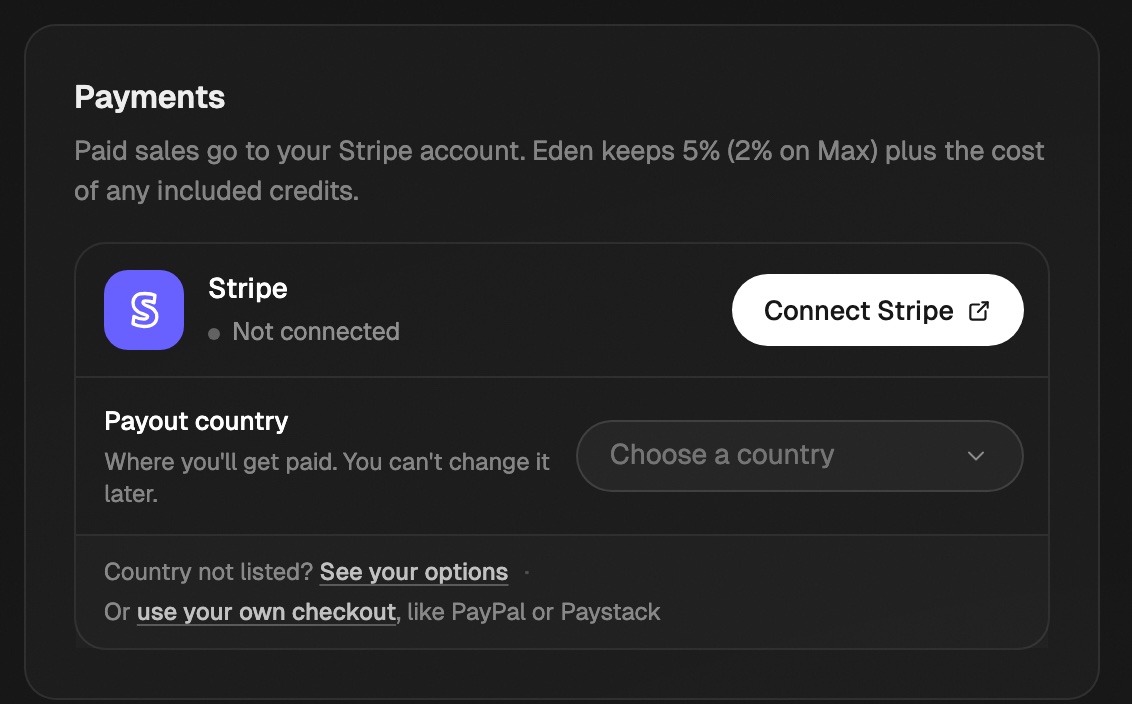
Picked the wrong country?
Stripe locks the country to the account. If you haven't signed Stripe's terms yet, click Start over on the Payments card and pick again. If you already signed, write to support.
Use your own checkout
Sell a product through PayPal, Gumroad, Paystack, or another checkout you already use, and give buyers access on Eden automatically.
Start selling on Eden
Set up your store, pick what to sell, get paid through Stripe, and run it all from Your store.
Your referral link and earnings
Get your Eden referral link, see what you earn, and get paid through Stripe.
Get answers from the team and other creators.
Ask in the Eden help channel, see how others use the app, and come to the live workshops. Free with any Eden account.
Join the Eden CommunityEmail us. A real person reads every message.
Tell us what you tried and where you got stuck. We answer within one business day.
[email protected]