Using your Custom AIs through the Eden MCP
Ask Claude, ChatGPT, or Cursor to load one of your Custom AIs, search its knowledge, or build and edit Custom AIs for you.
Ask your connected app "What Custom AIs do I have in Eden?", then "Use my Newsletter Writer for this chat." It loads that Custom AI's instructions and works the way you built it.
Use a Custom AI in a chat
- 01
Ask what you have
The app lists every Custom AI in your workspace with a short summary.
- 02
Pick one
"Use the Topic Research one for this chat." The app loads its instructions and a list of its sources.
- 03
Ask your real question
When the answer lives in its knowledge, the app finds and reads the right document on its own.
Prefer a shortcut? Each Custom AI is also an /eden- command. See Custom AI as slash
commands.
What you can ask for
| Ask | What happens |
|---|---|
| "What does the playbook say about pricing?" | Searches the Custom AI's documents and returns matching parts. |
| "Read the whole onboarding guide" | Reads a document page by page, even a long PDF. |
| "Build me a Custom AI for newsletter planning" | Creates a new Custom AI in your workspace. |
| "Add these rules to my Idea Partner" | Updates the instructions. Its sources stay the same. |
| "Add my Hooks board to its knowledge" | Adds, edits, or removes one knowledge source. |
| "Delete my old Research Assistant" | Archives it after you confirm. You can't undo this from the app. |
Creating, editing, and deleting need a Read & write connection. Edits check the latest version first, so they never overwrite a teammate's newer change.
Custom AIs you bought
- You get the full instructions and every bundled document, even ones hidden in the in-app preview.
- Loading, searching, and reading them costs zero Eden credits. Your AI app's own usage may still cost you there.
- You can't edit them. Refunded purchases lose access.
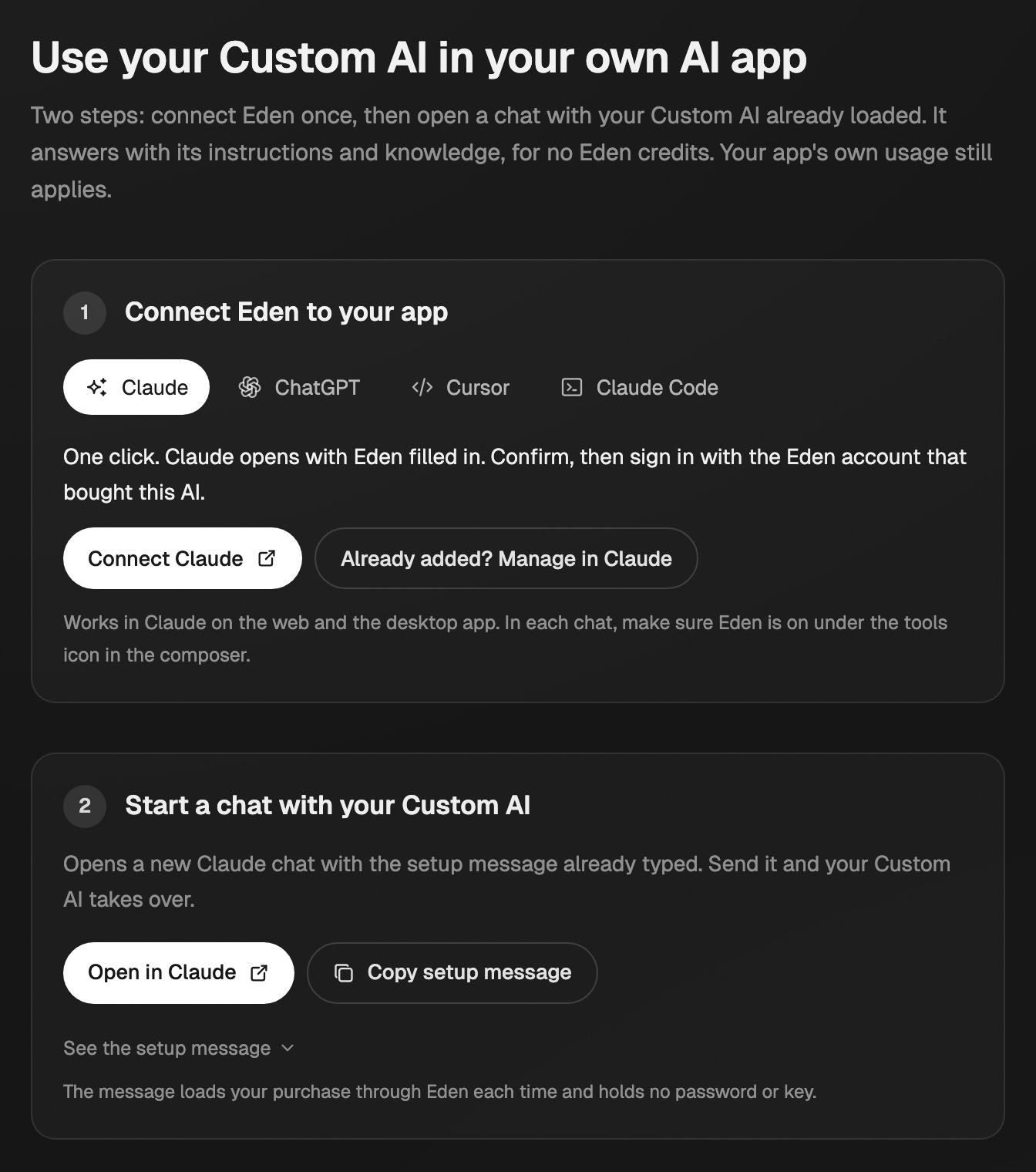
For step-by-step setup in Claude, ChatGPT, Cursor, or Claude Code, open app.eden.so/custom-ai/setup. It has a setup message to paste and a skill file to download.
If the tools don't show up
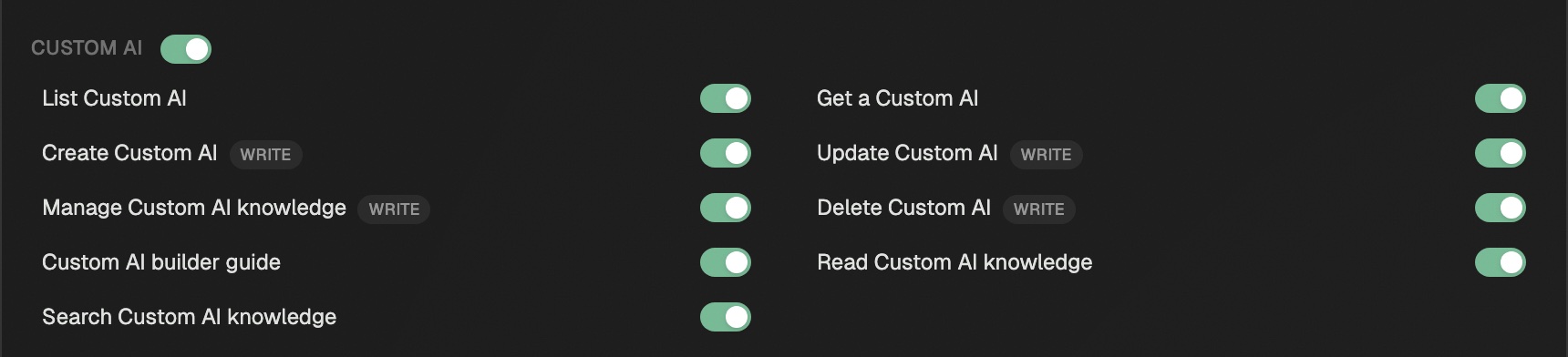
- The Custom AI tools may be switched off. Check the Custom AI group in Settings → MCP → Tool permissions.
- If you connected a while ago, get the latest tools.
Using Custom AI as slash commands
Each Custom AI in your default workspace shows up as an /eden- command in Claude, Cursor, and other apps connected to Eden.
Connect your AI app to Eden
Setup steps for Claude, ChatGPT, Cursor, Claude Code, Codex, and other MCP apps, plus how to limit access, pick a workspace, and disconnect.
Create your first Custom AI
Build one through a guided chat, from your writing, or by filling in the fields yourself.
Get answers from the team and other creators.
Ask in the Eden help channel, see how others use the app, and come to the live workshops. Free with any Eden account.
Join the Eden CommunityEmail us. A real person reads every message.
Tell us what you tried and where you got stuck. We answer within one business day.
[email protected]