Boards

How creators use Eden boards as swipe files

A swipe file is a private collection of work you study and remix. Here is how to build one with Eden boards, and the patterns that make a good one.

·6 min read

A swipe file is a private library of work that performed. You keep it because the next time you sit down to write, you do not start from a blank page. You start from a wall of examples.

This article covers what a swipe file is for, why a board is a good shape for one, and three patterns that make a swipe file useful instead of just full.

What a swipe file is

The term comes from copywriters. Decades ago they kept folders of mailers, ads, and headlines that worked, and they pulled from them when writing new ones. The point was never to copy. The point was to look at a hundred openings, internalize the shape, and write yours with the rhythm in your head.

Modern creators use the same trick. X posts, video titles, hooks, scripts, thumbnails. The artifacts have changed. The discipline has not.

The problem most creators have

Most swipe files are scattered. Some live as bookmarks in a browser. Some live as screenshots in a Notes app. Some live as a folder of saved X posts that nobody reads.

The result is the moment you sit down to draft a new post, the swipe file feels closer to homework than to a head start. So you skip it and you stare at the blank page, which is the thing the swipe file was supposed to fix.

Why a board works

An Eden board solves three of the things most swipe files miss:

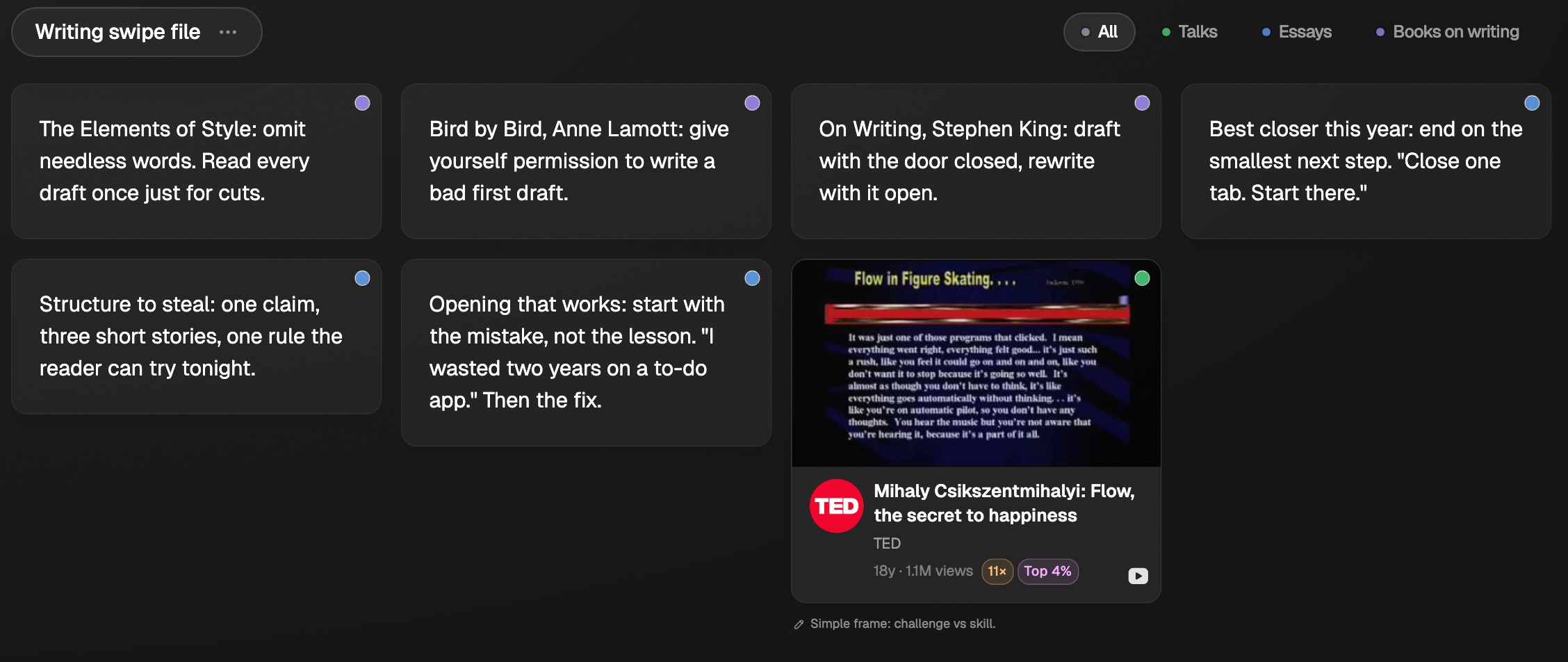
  • Everything is one click away. Items live as cards on a single surface. Nothing is buried in a folder or a tag.
  • Items keep their context. A YouTube post saved to a board keeps the original creator, the title, the thumbnail, and the outlier multiplier. You see at a glance which posts performed, not just which ones you bookmarked.
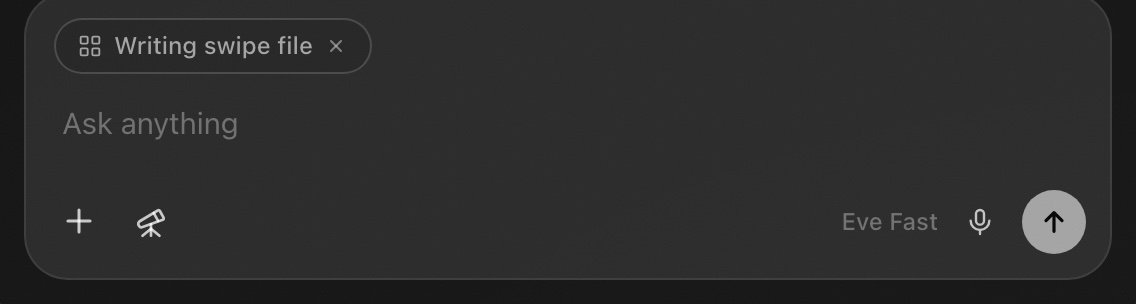
  • You can chat with the whole thing. The chat panel reads every item on the board. Ask for ten title variations against your topic, ask what the openings have in common, ask for an outline against a draft. Read chatting with a board for the full picture.

Boards stop being a passive archive once you can ask them questions.

What to put in a swipe file

The sources that work best:

  • Outliers from Discover. Posts that beat their creator's own typical performance by a meaningful margin. These are the ones worth studying. Anything 5x and above is a good filter to start.
  • Posts from creators in your niche even when they are not flagged as outliers. Sometimes a creator's median is already excellent and a 1.5x post for them is worth saving.
  • Your own previous work. Especially the posts that hit. Save them so the next post you write is calibrated against your real ceiling, not your memory of it.
  • Off-platform examples. A book passage, a podcast clip, an ad. Eden lets you save any URL or write a free-form note, so a swipe file is not limited to social posts.

The sources to avoid:

  • Anything you saved on autopilot. A swipe file works because every entry earned its place. A "save everything" board becomes the bookmarks problem in a new wrapper.
  • Posts that hit but are off-niche for you. Studying a 100x cooking video does not help if you are writing about productivity. Stay close to your wedge.

Three patterns that work

1. The single-format swipe file

One board, one format. "YouTube titles to study" only holds titles. "Tweet hooks that convert" only holds opening lines from X posts. "Thumbnails that worked" only holds thumbnails. Tight scope means you study the shape on its own, without other variables.

You can also keep multiple formats in one board organized by section. A "YouTube swipe file" board with sections for Titles, Hooks, and Thumbnails keeps everything related to one platform in one place while still letting you study one format at a time.

A single-format swipe file pairs especially well with the chat. Ask "what do these openings have in common?" and the answer is more useful than it would be against a mixed board.

2. The research section inside an active project

Tied to one piece of work and pruned after. You are writing a newsletter on focus, so inside your weekly content board you add a "Research" section and spend an hour saving twenty posts about focus into it. You write the issue with that section open. When the issue ships, you clear what you no longer need and reset the section for the next topic.

This is closer to a research file than a permanent library. Keeping it as a section inside the board you are already writing in means you do not have to switch surfaces between research and drafting, and the research never drifts away from the work it was meant to serve.

3. The standing reference swipe file

One per long-running theme. "Productivity, X" stays open for as long as you write about productivity on X. You add to it monthly. You prune it quarterly. The chat against it gets better as it grows because the material is consistent.

Pair it with sections when it crosses ~50 items. Sections like "Hooks", "Outlines", "Whole posts" let you filter the view to one slice without losing the rest.

The remix step

The swipe file is half the workflow. The other half is the remix.

When you write your next post, open the board next to the draft. Do not paraphrase one item. Read four or five of the strongest items, internalize the shape, then write your version with that rhythm in your head. The board is the prompt. The post is yours.

If the post you write reads exactly like one of the items, you went too close. If it does not feel related at all, you did not actually use the board. Useful swipe-file work sits in between.

You can also use the chat against the board to brainstorm variations before you draft. Open the chat panel and try a prompt like:

Read every item on this board. My next post is about [topic]. Give me ten title variations that match the shapes that are working here, and for each one tell me which item on the board it borrows from.

The chat reads every item on the board, recognizes which section each one belongs to, and lines up candidates next to your draft. It is a thought partner against your own reference library, which is more useful than a generic AI prompt because the answers are grounded in work you already chose to study.

Where to go next

Still stuck?

Email us. A real person reads every message.

Tell us what you tried and where you got stuck. We answer within one business day.

[email protected]